Are you searching for a reliable Android phone repair shop in Siliguri? Whether your smartphone has a broken screen, a weak battery, charging problems, software errors, or other hardware issues, finding the right repair technician can help you get your device working properly again.
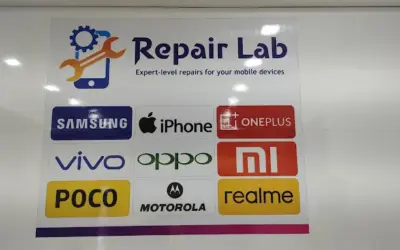
Android smartphones are available in many brands, including Samsung, Xiaomi, Redmi, Realme, Vivo, OPPO, OnePlus, Motorola, and Google Pixel. Although these devices share some common features, their components, repair procedures, and replacement parts can vary by model.
Before replacing your phone, it is worth finding out whether the problem can be repaired safely and affordably.
In this guide, we explain common Android phone problems, available repair services, factors affecting repair costs, and how to choose a suitable Android mobile repair centre in Siliguri.
Why Choose a Professional Android Phone Repair Shop in Siliguri?
A malfunctioning smartphone can interrupt your work, communication, online payments, studies, and everyday activities. A professional repair service can help identify the problem and explain the available solutions.
Here are some benefits of choosing an experienced Android phone repair shop in Siliguri:
- Accurate diagnosis: Identify whether the issue comes from the screen, battery, charging port, software, or another component.
- Cost-effective solutions: Repairing a damaged component may cost less than replacing the entire smartphone.
- Model-specific support: Different Android models require different parts and repair procedures.
- Convenient local service: A nearby repair shop can make dropping off and collecting your phone easier.
- Repair guidance: A technician can explain the estimated cost, expected completion time, and available replacement options.
Before approving a repair, ask about parts, labour charges, warranty coverage, and the possibility of data loss.
Android Phone Repair Services in Siliguri
Android smartphones can develop several types of hardware and software problems. The appropriate repair depends on the device model, the symptoms, and the extent of the damage.
1. Android Mobile Screen Replacement
A cracked or malfunctioning screen is one of the most common reasons people visit an Android phone repair shop.
Screen damage can occur after a phone is dropped, exposed to pressure, or struck against a hard surface.
Common signs of screen damage include:
- Cracked or shattered display glass
- Black spots or coloured lines on the screen
- Flickering or distorted images
- Touchscreen areas that do not respond
- A black screen even when the phone appears to be switched on
- Display problems following accidental damage
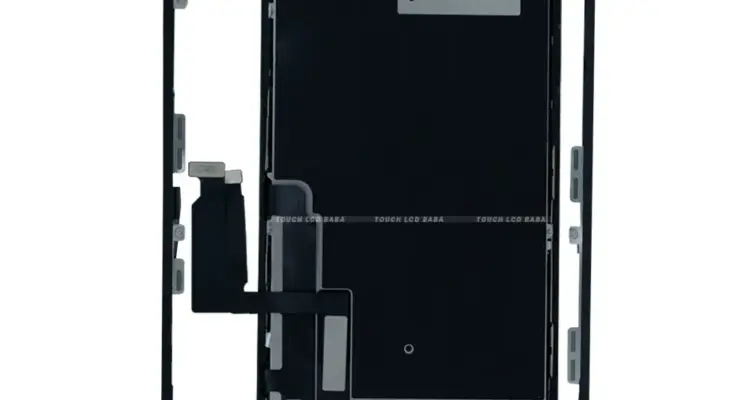
Depending on the phone model and the type of damage, a technician may recommend a screen assembly replacement or another suitable repair.
Screen replacement costs vary according to the brand, model, display technology, and availability of compatible parts. Premium phones with advanced displays can be more expensive to repair than entry-level models.
Before proceeding, ask whether the replacement is an original service part, a compatible aftermarket part, or another available option.
2. Android Battery Replacement
Does your Android phone lose charge quickly or switch off unexpectedly? Its battery may have deteriorated over time.
Common battery-related problems include:
- Battery percentage dropping quickly
- Unexpected shutdowns
- Reduced battery life
- Charging taking longer than usual
- Excessive heat during normal use
- Battery swelling
Battery performance can also be affected by background applications, software issues, charging accessories, and heavy usage. A proper diagnosis can help determine whether the battery actually needs replacing.
If the battery is swollen, stop using and charging the phone. Do not press, puncture, or attempt to remove it yourself. Arrange professional assistance.
3. Android Charging Port Repair
Charging problems do not always mean the battery is faulty. The charging port, cable, adapter, or internal charging circuit may be responsible.
You may need a charging system inspection if:
- Your phone does not charge.
- Charging repeatedly starts and stops.
- The charging cable does not fit securely.
- The phone charges unusually slowly.
- The device does not recognise a connected cable.
- The phone has charging problems after contact with moisture.
A technician can inspect the port and related components before recommending a repair.
Avoid forcing the cable into the charging port or using metal objects to clean it, as this can cause additional damage.
4. Android Water Damage Repair
Water or moisture can affect a smartphone’s internal components, even if the device initially appears to work.
If your Android phone gets wet, take these precautions:
- Switch it off if it is safe to do so.
- Disconnect the charger and accessories.
- Do not attempt to charge the device.
- Avoid applying direct heat or using a hair dryer.
- Arrange a professional inspection as soon as possible.
Water damage can affect the battery, connectors, motherboard, and other components. The likelihood of successful repair depends on the extent of the damage and the condition of the phone.
A technician should inspect the device before estimating the repair cost. Water-damage repair cannot always guarantee complete recovery.
5. Android Motherboard and Chip-Level Repair
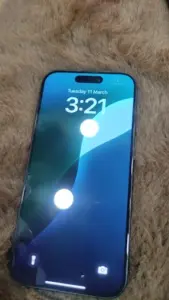
Some Android phone problems originate from the motherboard or its electronic components. These faults can require more advanced diagnostic equipment and repair skills.
Possible symptoms include:
- The phone does not turn on.
- The device repeatedly restarts.
- The phone becomes stuck during startup.
- Charging or power-related functions stop working.
- The phone becomes unresponsive after physical damage.
- Some components stop functioning despite appearing undamaged.
Not every motherboard problem can be repaired economically. Ask whether the repair centre handles chip-level diagnostics and whether repairing the existing board is practical for your specific model.
6. Android Software and Performance Issues
Android phones can also develop problems caused by software errors, incompatible applications, failed updates, or insufficient storage.
Common symptoms include:
- The phone becomes slow or unresponsive.
- Applications crash frequently.
- The device gets stuck on the startup screen.
- The phone restarts repeatedly.
- Software updates fail.
- The device experiences unusual battery drain after an update.
Depending on the cause, the solution may involve software troubleshooting, system updates, application checks, or a reset.
Back up your important data before authorising a factory reset. A reset can erase information stored on the device. Ask the technician about data-preservation options before proceeding.
7. Android Camera Repair
A faulty camera can affect photographs, video calls, scanning documents, and other everyday activities.
Common camera problems include:
- Blurry or unfocused photographs
- A camera application that crashes
- Black screens when opening the camera
- Damaged camera glass
- Unusual spots or visual defects in images
- Front or rear camera failure
The problem may involve the camera module, lens cover, software, or another component. A technician can diagnose the issue and recommend an appropriate solution.
8. Android Speaker and Microphone Repair
Sound problems can make phone calls, video meetings, voice messages, and media playback difficult.
You may need a speaker or microphone inspection if:
- Callers cannot hear your voice.
- The speaker produces distorted sound.
- Media audio is unusually quiet.
- The microphone works intermittently.
- Sound stops working after physical or liquid damage.
The cause may be a damaged component, a blocked opening, a software issue, or a connection problem. Diagnosis helps avoid unnecessary replacement.
9. Android Power Button and Other Hardware Repairs
Power buttons, volume buttons, fingerprint sensors, vibration motors, and other components can also develop faults.
Common symptoms include an unresponsive power button, inconsistent volume controls, fingerprint recognition problems, or vibration failure.
Repair options depend on the device’s design and the condition of the affected component. Contact the repair centre with your phone’s exact model to confirm service availability.
Which Android Brands Can Be Repaired?
Android phones are available from numerous manufacturers. Repair availability depends on the technician’s experience, device model, and access to suitable parts.
When searching for an Android phone repair shop in Siliguri, ask whether it supports your brand.
| Android Brand | Common Repair Requirements |
|---|---|
| Samsung | Screen, battery, charging, camera, and software issues |
| Xiaomi and Redmi | Display, battery, charging port, and hardware faults |
| Realme | Screen replacement, battery issues, and charging problems |
| Vivo | Display, camera, charging, and speaker issues |
| OPPO | Screen, battery, charging, and software troubleshooting |
| OnePlus | Display, battery, charging, and motherboard diagnostics |
| Motorola | Screen, battery, charging, and hardware repairs |
| Google Pixel | Display, battery, camera, and model-specific hardware issues |
This list is a guide to common repair needs, not a guarantee that every repair centre supports every model. Confirm the service availability and part options before visiting.
How Much Does Android Phone Repair Cost in Siliguri?
The cost of Android phone repair in Siliguri depends on the device, the type of damage, replacement parts, and the complexity of the repair.
For example, replacing a battery may be less expensive than repairing a damaged motherboard. Likewise, screen replacement costs can vary considerably between budget smartphones and premium models.
| Repair Type | Main Factors Affecting Cost |
|---|---|
| Screen replacement | Phone model, display type, and part availability |
| Battery replacement | Battery specification and availability |
| Charging port repair | Port damage and charging circuit condition |
| Camera repair | Camera module and extent of damage |
| Speaker or microphone repair | Affected component and labour |
| Water damage repair | Corrosion and internal component damage |
| Motherboard repair | Fault complexity and required components |
| Software troubleshooting | Nature of the software problem and work involved |
For an accurate estimate, provide the exact phone model and explain the symptoms.
Before approving the repair, ask for a breakdown of the part cost, labour charges, diagnostic fees, and any applicable warranty.
If the repair cost is close to the current value of your phone, compare the available repair options with the cost of replacing the device.
How to Choose the Best Android Phone Repair Shop in Siliguri
Choosing a suitable repair shop can help you avoid unnecessary expenses and misunderstandings.
Consider these factors before handing over your phone.
1. Check Experience With Your Android Model
Android devices differ in their internal design, display technology, battery construction, and repair procedures.
Choose a technician who has experience with your particular brand and model, especially if the problem involves the motherboard, water damage, or other complex components.
2. Ask About Replacement Parts
Ask what type of screen, battery, or component will be installed.
Confirm whether the part is an original service part, a compatible replacement, or another option. Discuss the differences in quality, price, and warranty before making a decision.
3. Request a Clear Cost Estimate
Ask the technician to explain the suspected fault and provide an estimate before major repair work begins.
If additional damage is discovered, request approval before proceeding with work that increases the cost.
4. Understand the Warranty
Find out whether the repair and replacement parts include a warranty.
Confirm the coverage period, exclusions, and conditions. Keep any receipt or repair documentation provided by the shop.
5. Read Customer Reviews
Online reviews can provide useful information about a repair shop’s communication, pricing transparency, turnaround time, and handling of customer concerns.
Look for detailed reviews that describe actual experiences rather than relying only on the overall star rating.
6. Confirm Part Availability and Repair Time
Some repairs can be completed relatively quickly when the necessary parts are available. Other repairs may require additional diagnosis or special-order components.
Contact the shop before visiting to ask whether it can handle your device and provide an estimated completion time.
What to Do Before Giving Your Android Phone for Repair
Your phone may contain personal photographs, banking applications, private messages, work documents, and other sensitive information.
Take these steps before handing over the device:
- Back up important data: Save essential files, contacts, photographs, and messages where possible.
- Ask about data loss: Some software repairs and factory resets can erase information.
- Protect your privacy: Ask whether the repair can be completed without sharing your screen lock PIN or password.
- Remove sensitive information when practical: Consider signing out of sensitive applications if doing so will not interfere with the repair.
- Document existing damage: Take photographs of visible cracks, scratches, or other damage.
- Confirm the repair details: Ask about the price estimate, completion time, and warranty.
- Keep your SIM and memory card safe: Remove them if appropriate for your device and the repair requirements.
Never share your Google Account password, banking PIN, or one-time verification codes with a repair technician.
If device access is required for testing, discuss a privacy-conscious procedure and understand exactly what access is needed before agreeing.
Why Choose a Local Android Repair Shop in Siliguri?
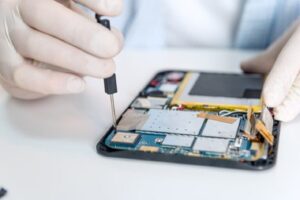
Siliguri is a major commercial centre in North Bengal, and smartphones are essential for students, professionals, traders, travellers, and local businesses.
When an Android phone develops a problem, a local repair shop can offer a convenient option for diagnosis and repair. You can discuss the symptoms, ask questions about replacement parts, and understand the estimated cost before making a decision.
Whether you own a Samsung, Redmi, Realme, Vivo, OPPO, OnePlus, Motorola, or another Android smartphone, the right repair depends on the device model and the nature of the fault.
Rather than replacing your phone immediately, consider getting a professional diagnosis to determine whether a practical repair option is available.
Visit an Android Phone Repair Shop in Siliguri
If your Android smartphone has a damaged screen, battery problems, charging issues, or another fault, contact a local mobile repair centre to discuss your device.
Repair Centre Details
- Location: 1st Floor, International Market, 23 Sevoke Road, Siliguri, West Bengal 734001
- Phone: +91 98516 11920
- Opening Hours: Monday to Saturday, 11:00 AM–8:00 PM
- Sunday: Closed
Call before visiting to confirm that your Android brand and model are supported and that the required parts are available.
Frequently Asked Questions
1. Where can I find an Android phone repair shop in Siliguri?
Search for Android phone repair shops in Siliguri and compare their locations, customer reviews, supported brands, repair services, and pricing. Contact the shop before visiting to confirm that it can repair your specific model.
2. Can an Android phone with a broken screen be repaired?
Yes, many phones with damaged screens can be repaired by replacing the affected display components. The available options and cost depend on the phone model and the extent of the damage.
3. How much does Android screen replacement cost in Siliguri?
The price varies according to the brand, model, display technology, and replacement part. Contact a repair centre with your exact model number to request an estimate.
4. Can I replace my Android phone battery?
Many Android phones support battery replacement by a qualified technician. The procedure depends on the phone’s design and battery condition. If the battery is swollen, stop using and charging the device and arrange professional assistance.
5. Can a dead Android phone be repaired?
A phone that does not turn on may have a battery, charging, power circuit, motherboard, or software problem. A technician needs to diagnose the device before determining whether repair is possible.
6. How long does Android phone repair take?
The time required depends on the problem, phone model, part availability, and complexity of the repair. Ask the repair centre for an estimated turnaround time before leaving your device.
7. Can water-damaged Android phones be repaired?
Some water-damaged phones can be repaired, but the outcome depends on the extent of the internal damage. Switch off the device, do not charge it, and arrange a professional inspection promptly.
8. Should I back up my Android phone before repair?
Yes. Back up important information before repair whenever possible. Some repairs, particularly software procedures and factory resets, can erase data stored on your phone.
9. Is it better to repair an Android phone or buy a new one?
Consider the estimated repair cost, your phone’s age, its overall condition, and the price of a replacement. If the repair is reasonably priced and the phone still meets your needs, repairing it may be worthwhile.
Conclusion
Finding a reliable Android phone repair shop in Siliguri can help you resolve smartphone problems without immediately purchasing a new device.
From screen replacement and battery issues to charging faults, camera problems, software errors, and motherboard diagnostics, a proper diagnosis is the first step towards choosing the right repair.
Before handing over your phone, check the technician’s experience, ask about replacement parts, confirm warranty coverage, and protect your personal data.
By comparing your options and understanding the likely repair cost, you can make a more informed decision about getting your Android smartphone back in working condition.